University publishing, on one platform.
From books to journals, from submission to DOI. JournTech runs submissions, double-anonymous peer review, production, the open-access catalogue, journals and the Ministry's ISBN and legal deposit duties in one workflow.
- Runs in the browser
- Turkish and English
- A separate installation per institution
- Crossref DOI
- Google Scholar
- OAI-PMH
- ORCID
- ROR
- TR Dizin
- DergiPark
- Schema.org
- Sitemaps
- Personal data protection
- WCAG 2.2 AA
- Institutional sign-in (OIDC)
- Double-anonymous review
- Open access · Creative Commons
Today
Publishing runs on scattered tools.
A book's or an article's journey is spread across e-mails, shared folders, spreadsheets and disconnected websites. The deadlines live in people's heads.
Submissions live in e-mail
File versions, reviews and decisions get lost in inboxes; nobody can tell who did what, and when.
Catalogue and journals in different places
Journals on one platform, books on a web page, the catalogue in a spreadsheet. The same data is typed in again and again.
The Ministry's calendar is on nobody's calendar
ISBN applications, bandrol and the 15-day legal deposit period are tracked by hand; late deposit carries an administrative fine.
Visibility is left to chance
DOIs, ORCID iDs and metadata are typed by hand; Google Scholar and indexes see the work only partly, or not at all.

JournTech turns this into one workflow.
How it works
From submission to publication, one flow.
Every step is recorded and every role knows what to do. Authors, reviewers, editors, the publishing board and production work in the same place.
-
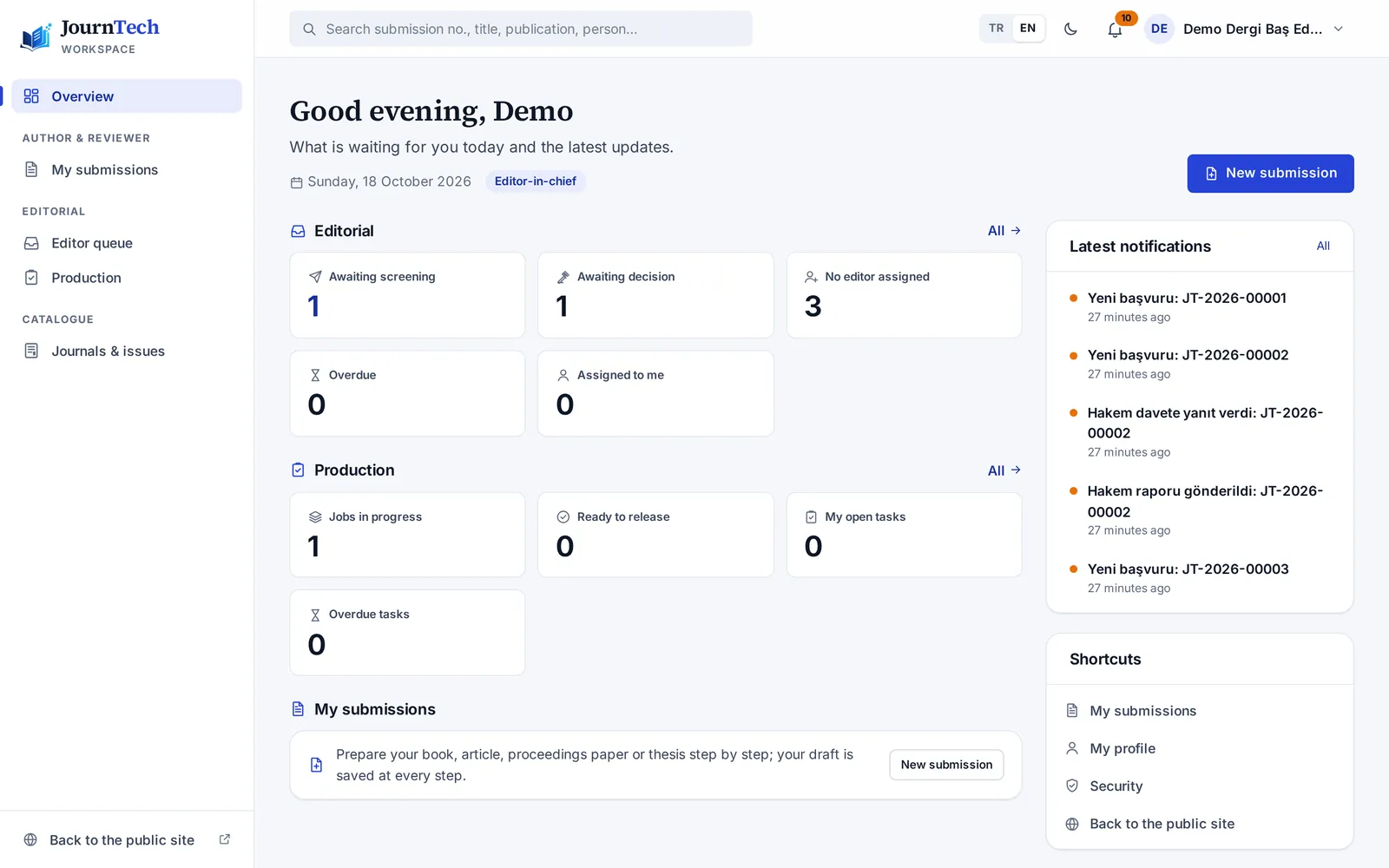
Submission
Authors submit online. Ethics committee, conflicts of interest, AI use, copyright and originality declarations are part of the submission.
-
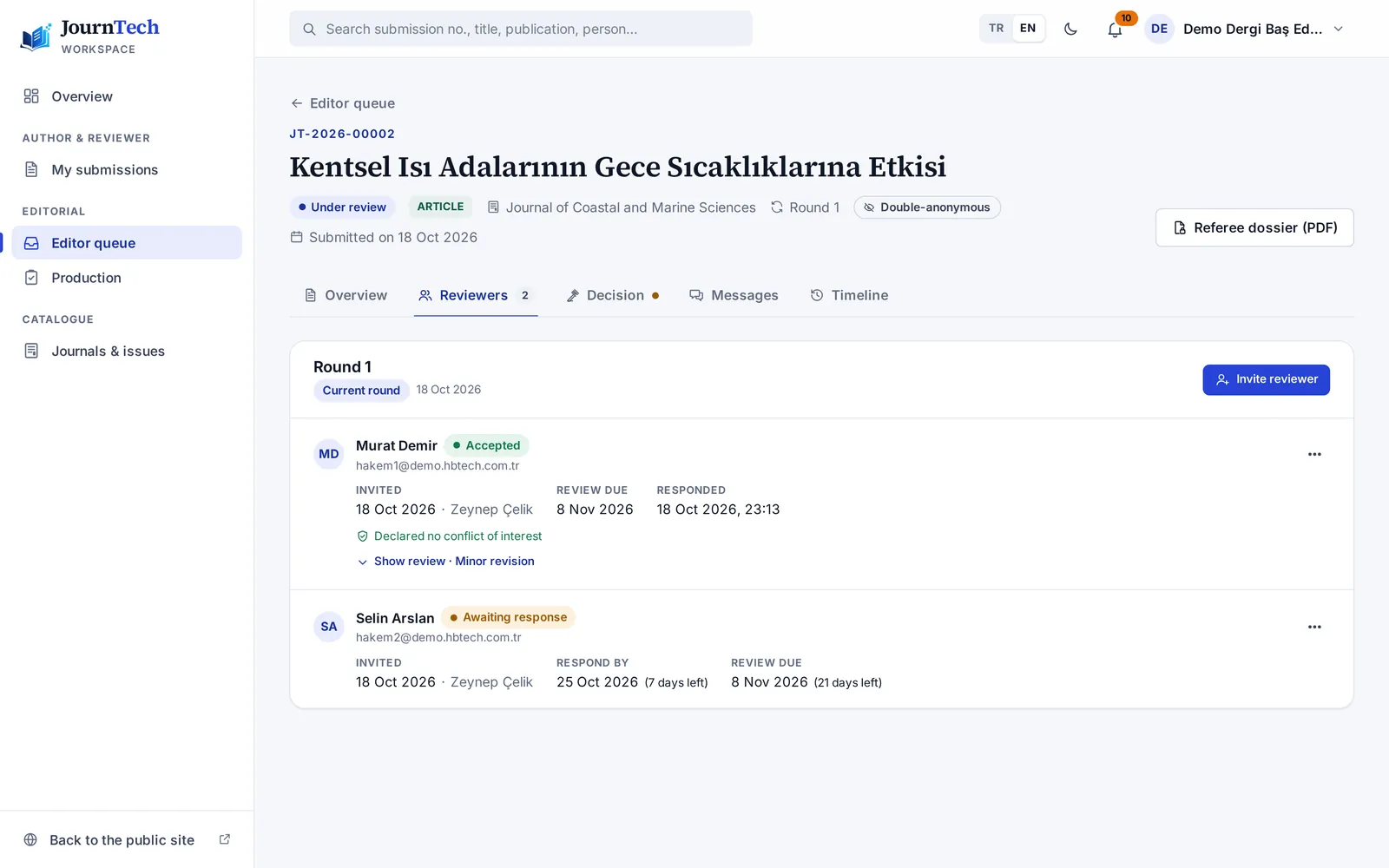
Screening and reviewer choice
The editor screens the submission and picks reviewers from the pool. The system warns when fewer than two reviewers, or a reviewer from the author's institution, are chosen.
-
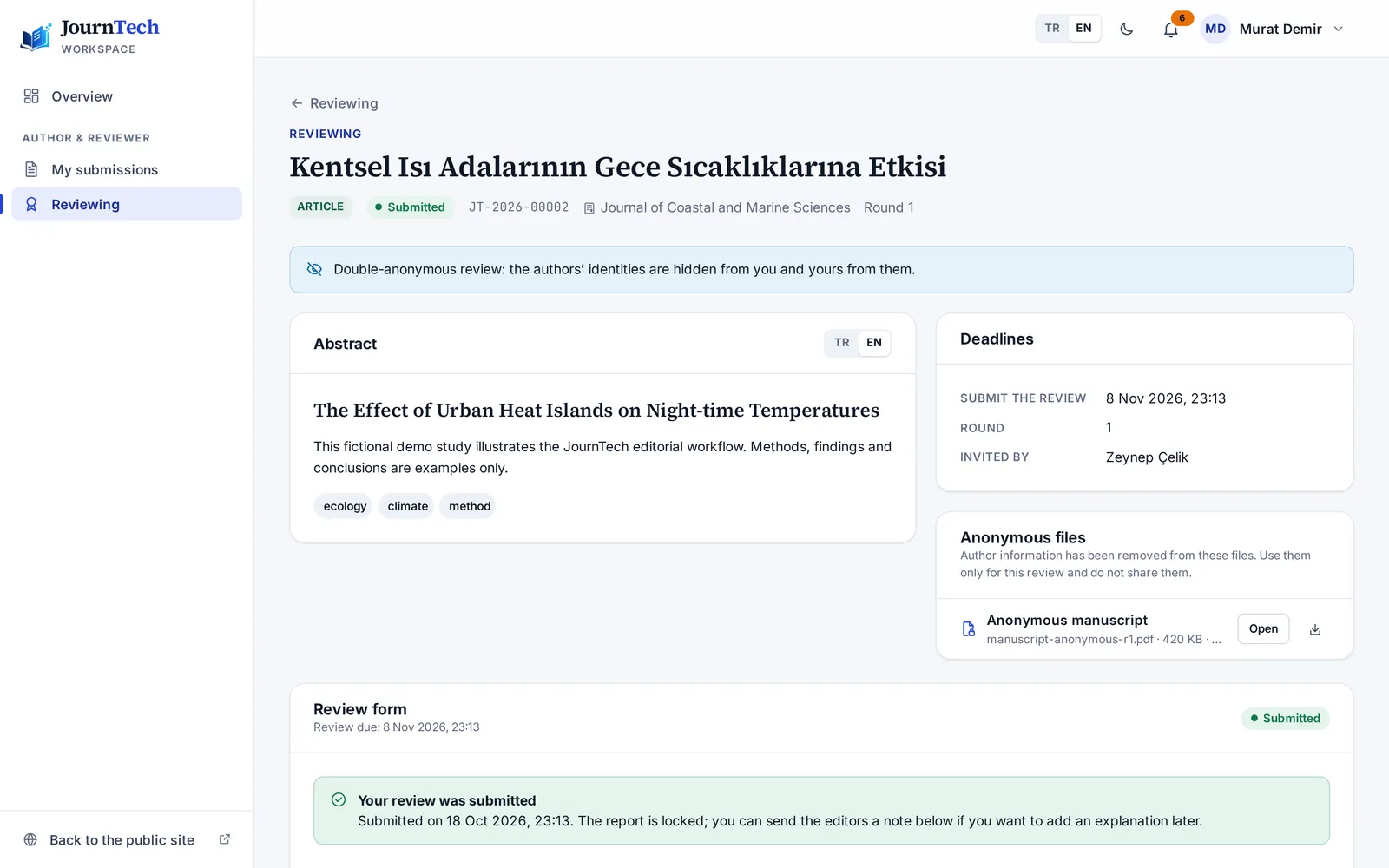
Double-anonymous review
Authors and reviewers stay anonymous to each other. Invitations, reminders and reports live in the system; every review goes into the referee dossier.
-
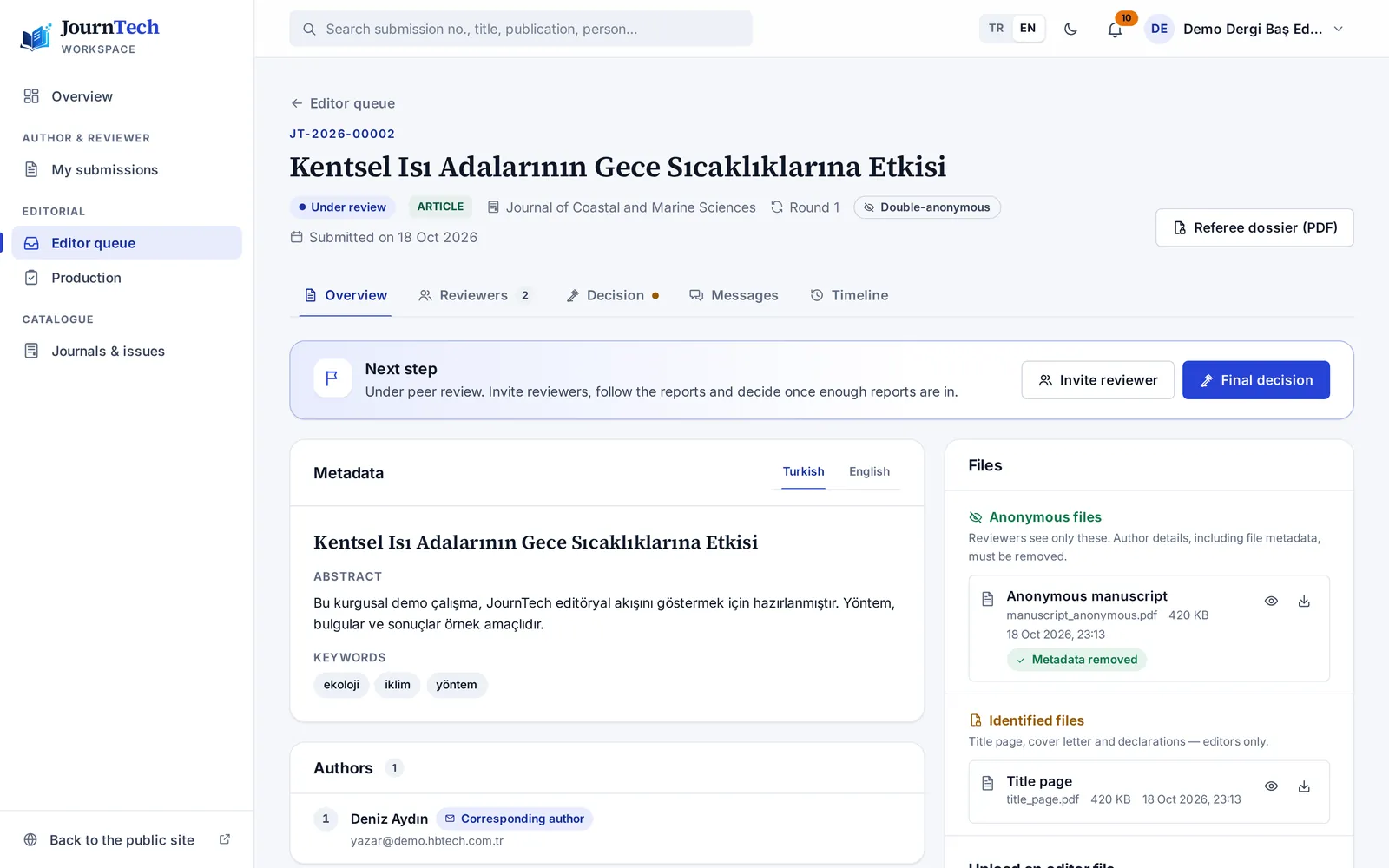
Decision and revision
The final decision rests with the authorised editor. Revision rounds, response letters and decisions are kept with their dates.
-
Production
Typesetting, cover and copyright-page steps sit on the production coordinator's list. For books, the ISBN request goes to the publishing board for approval.
-
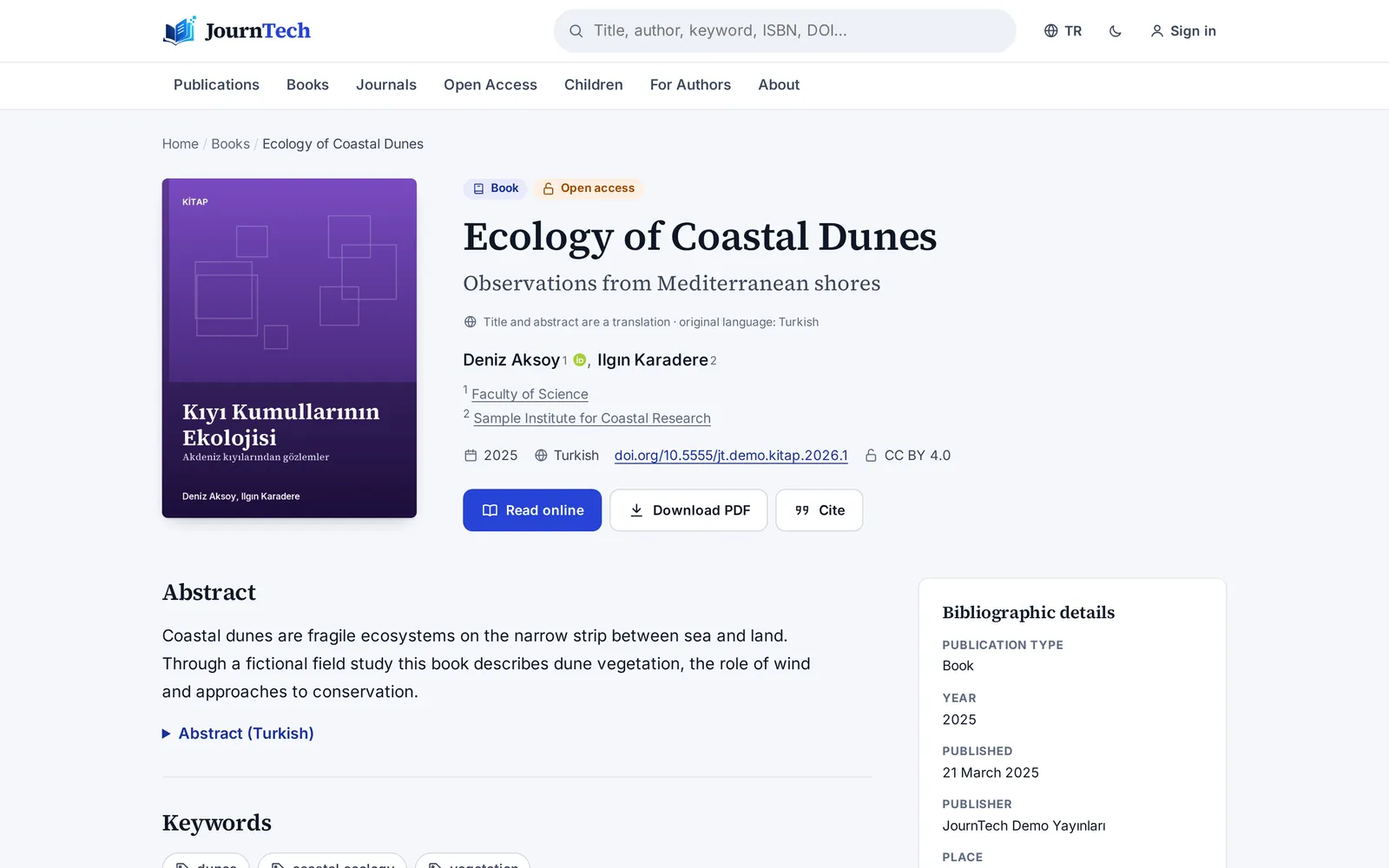
Publication and catalogue
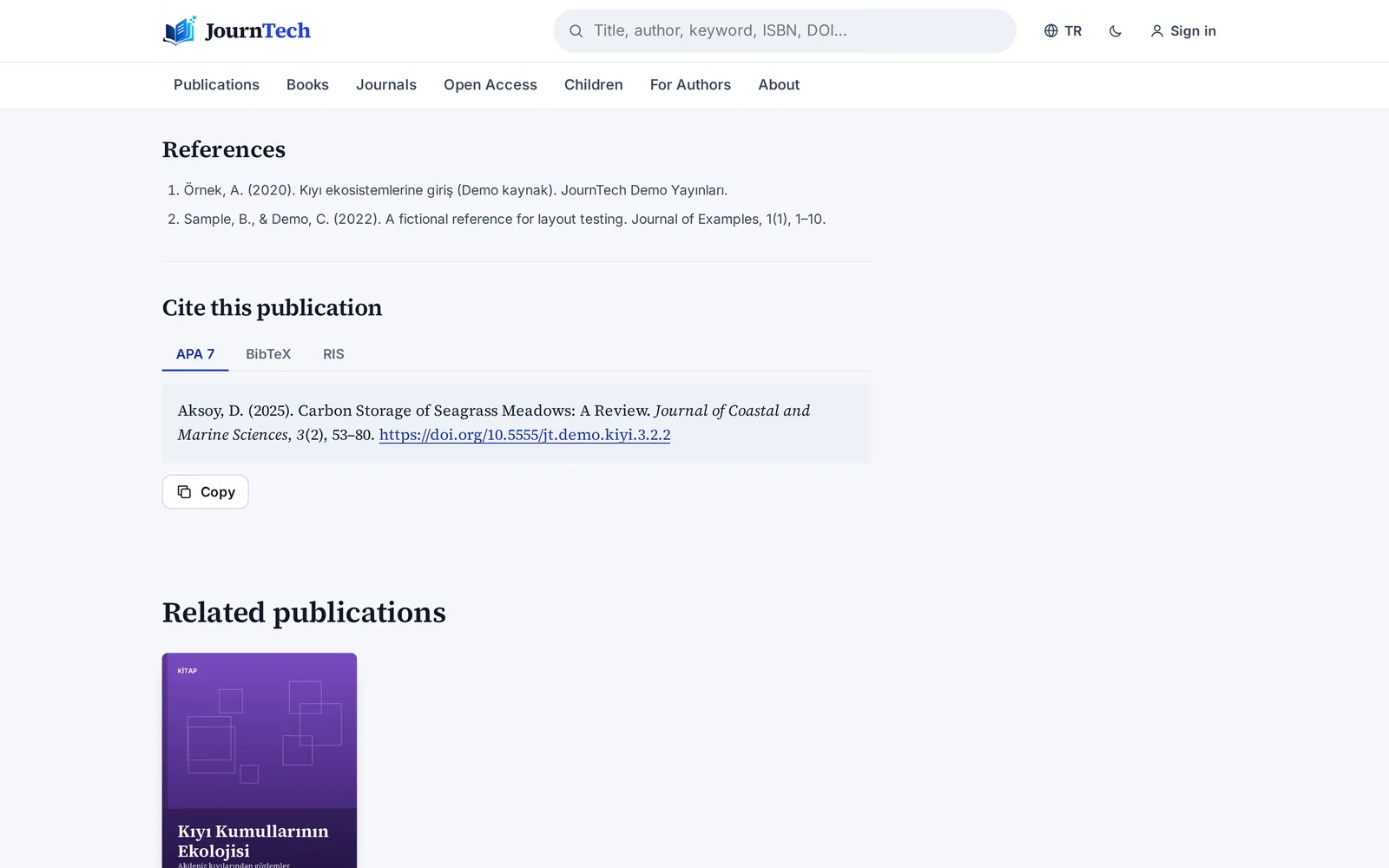
The work takes its place in the open-access catalogue with its licence. Turkish and English pages and APA, BibTeX and RIS citations are ready.
-
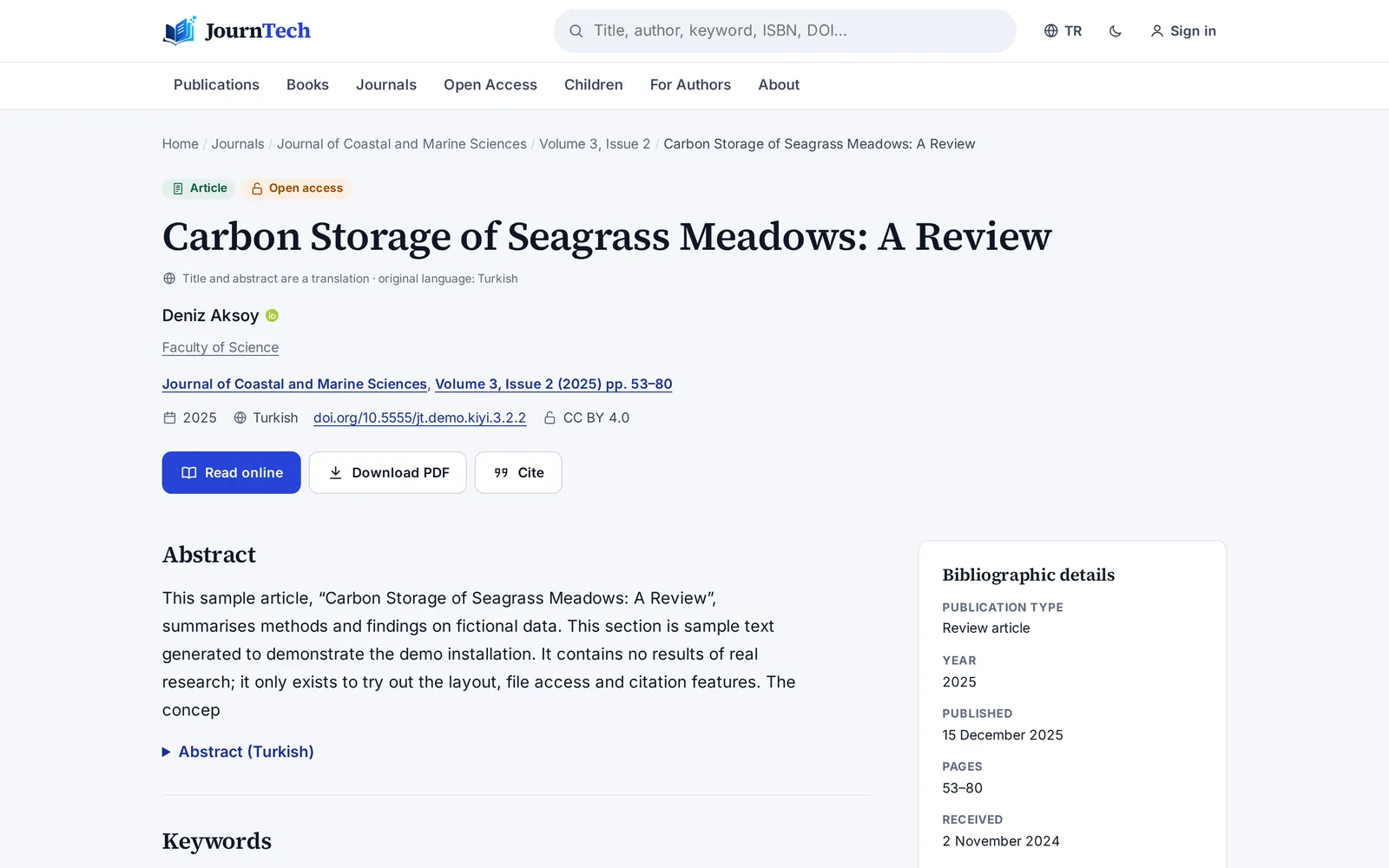
Visibility
The DOI is registered with Crossref together with the reference list. Google Scholar tags, the sitemap and OAI-PMH update themselves.
Books · New
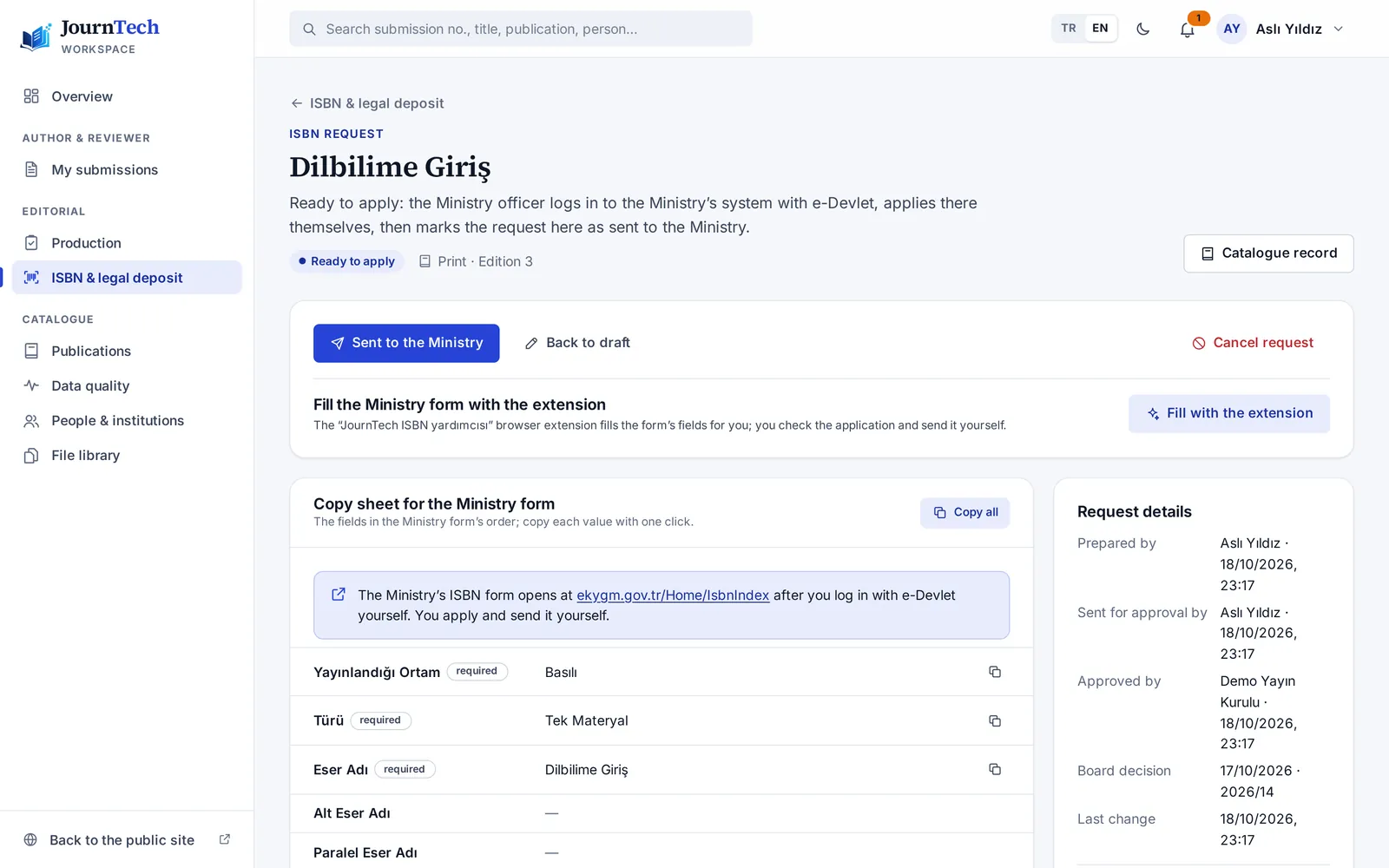
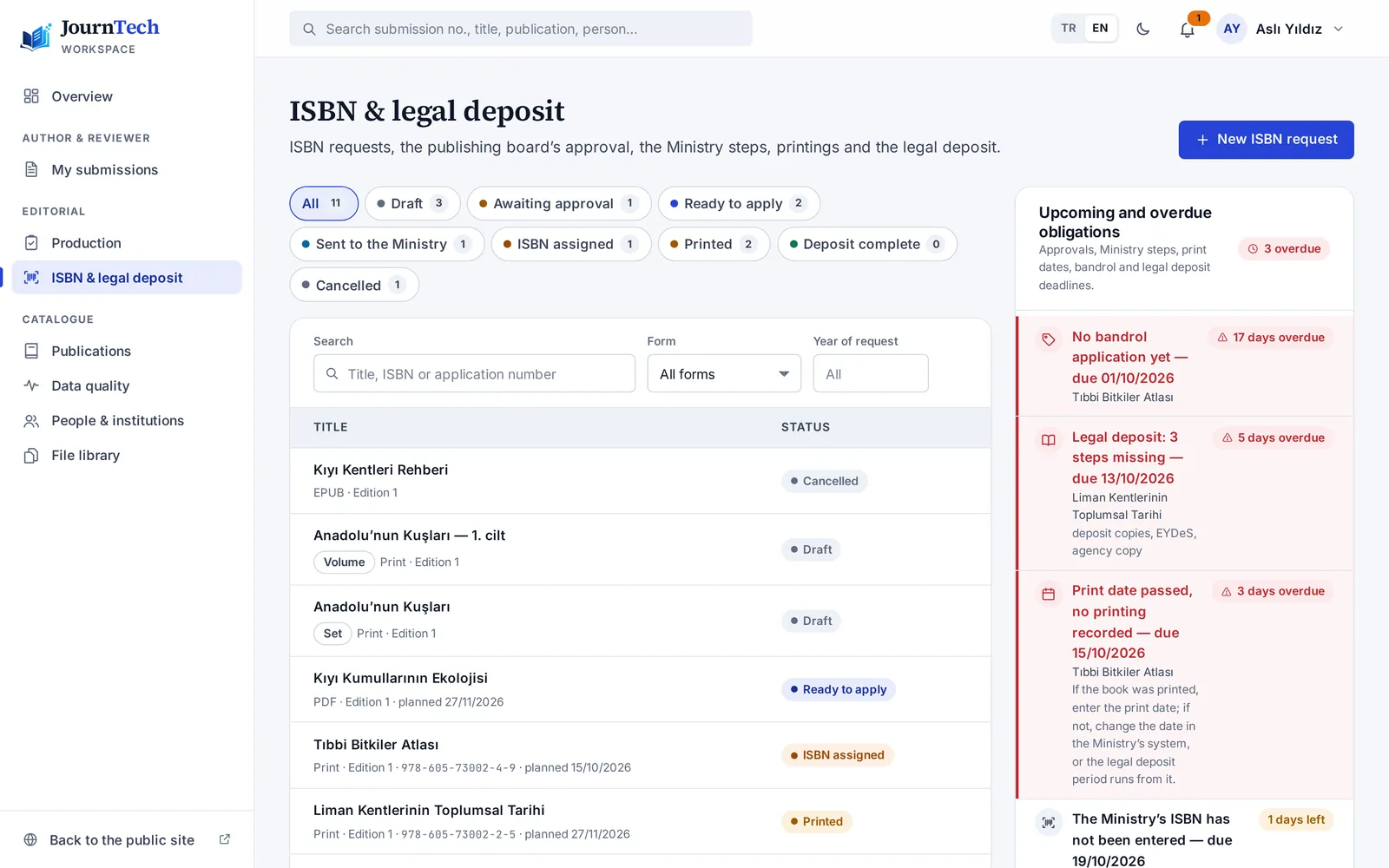
From ISBN to legal deposit, the Ministry's steps on one screen.
The Ministry of Culture and Tourism's procedures no longer depend on people's memory. JournTech prepares the request, gets it approved, fills in the form, checks the number and reminds you of every deadline. The authorised person always applies with their own e-Devlet login.
One request per format and edition
Separate ISBNs for print, PDF and EPUB. New editions and multi-volume works (set and volume numbers) are modelled correctly; an unchanged reprint keeps its number.
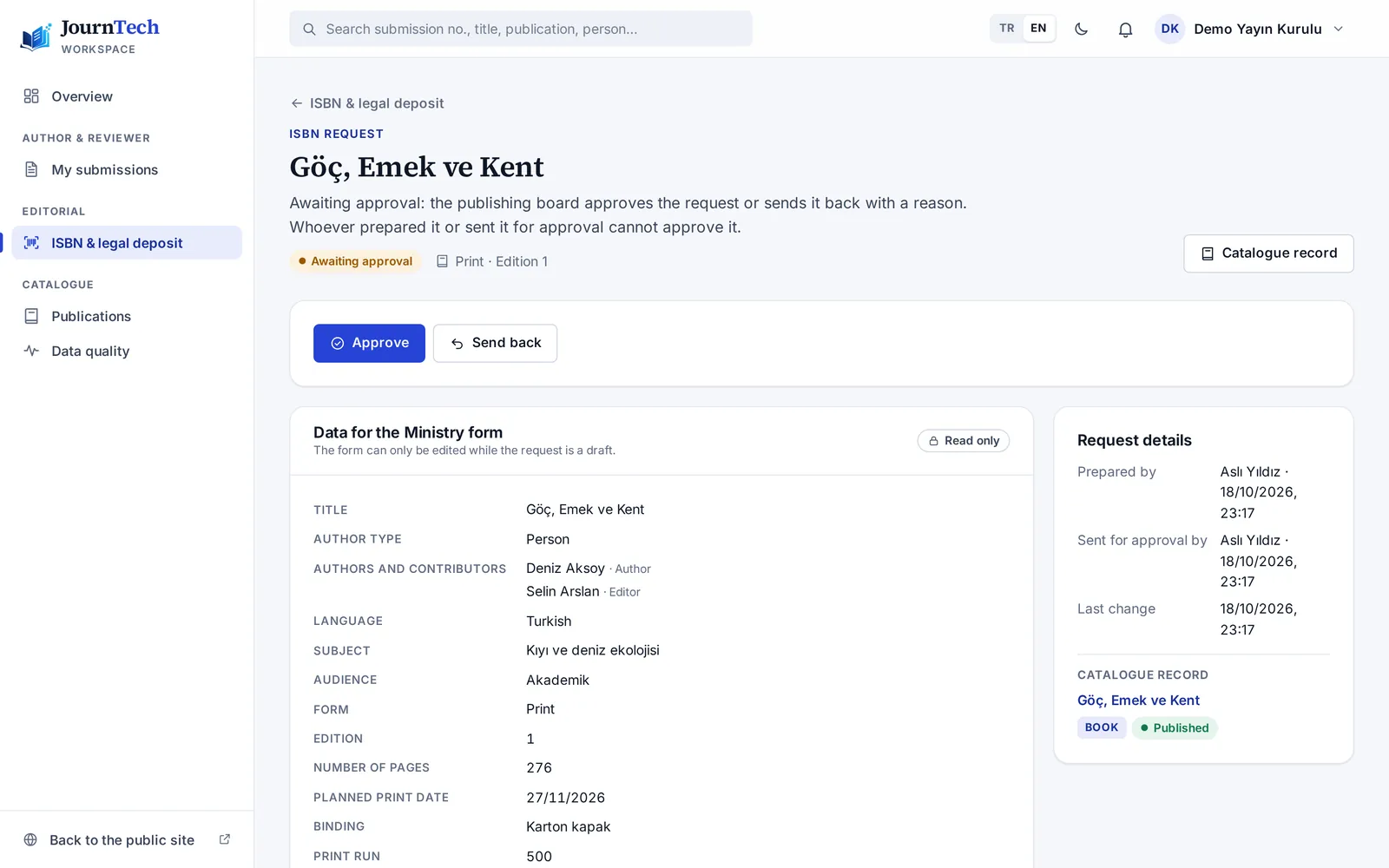
Publishing board approval
Four eyes: whoever prepares a request cannot approve it. Approvals, returns and every change go into the audit log.
Ministry form helper
An extension for Chrome and Edge. Once the authorised person signs in with e-Devlet and opens the form, it fills the fields from the approved request, and you check each one. It never sees a password and never presses “Submit”.
Number checks
Check digit, Turkish prefixes and the International ISBN Agency's range file. Duplicate numbers are refused.
Barcode and copyright page
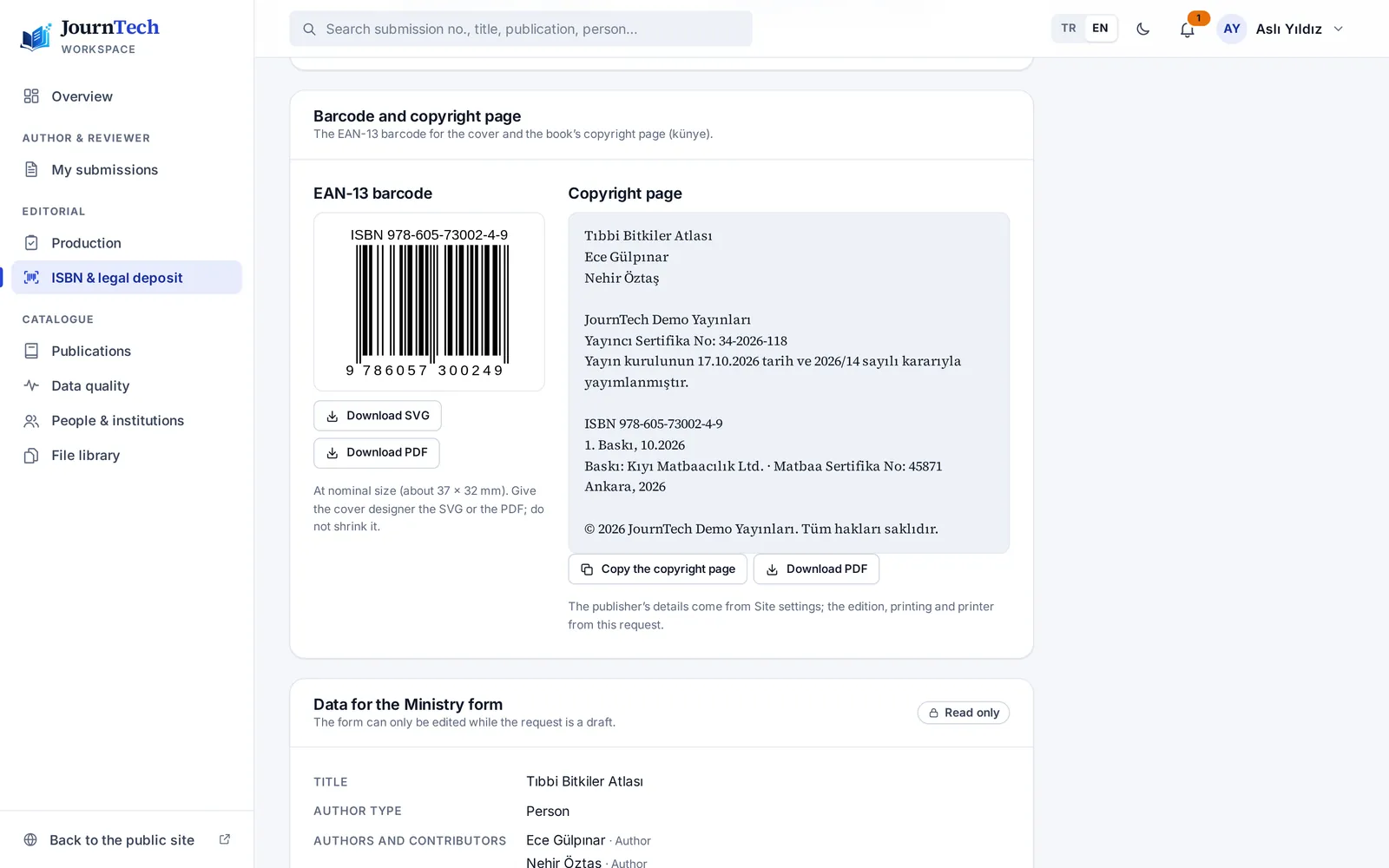
An EAN-13 barcode (SVG and PDF) and the copyright page, ready in one click.
Legal deposit, EYDeS and bandrol
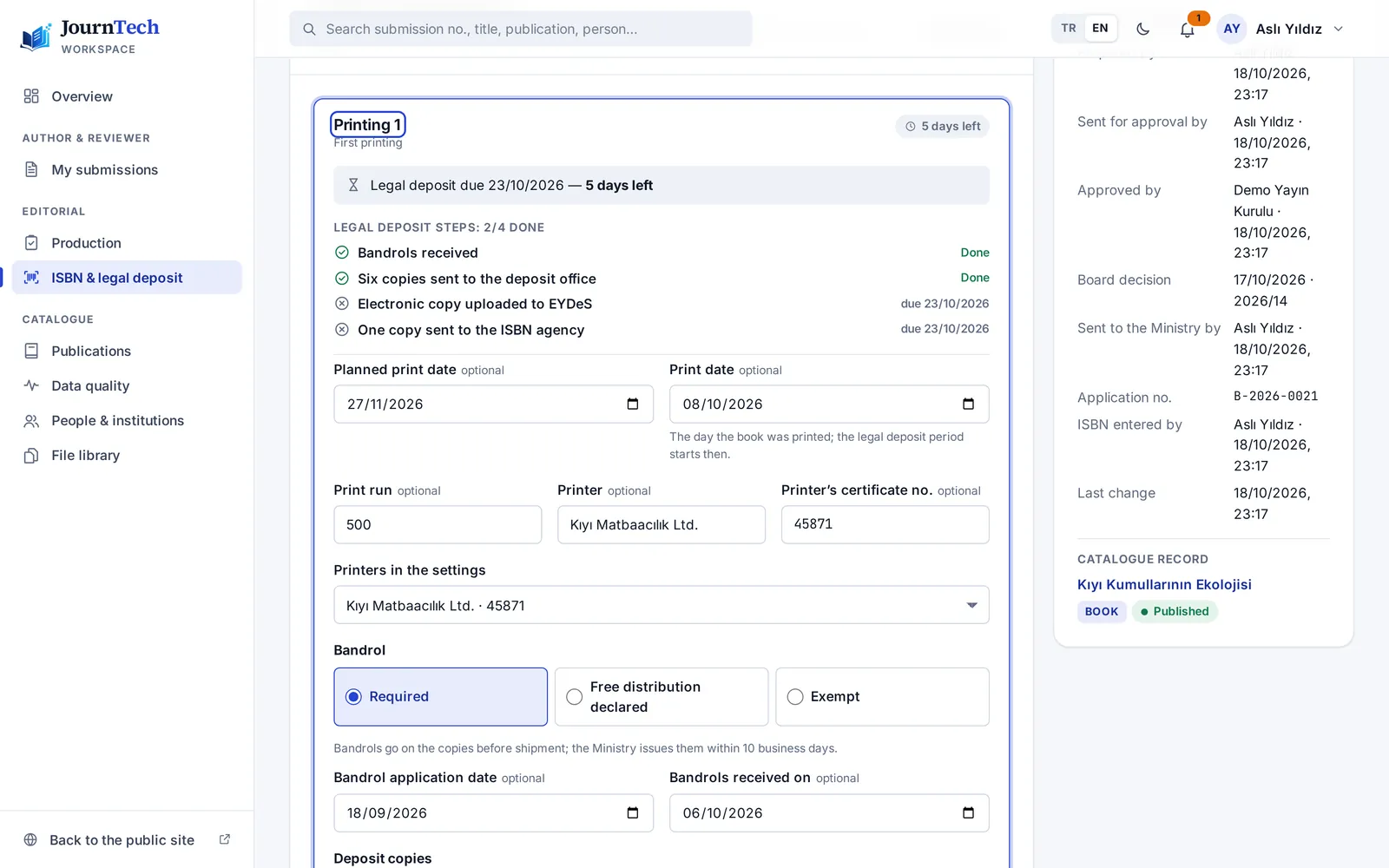
The print date starts the 15-day deposit period. Copies sent, the EYDeS e-copy and bandrol status are tracked; reminders arrive before the deadline, and overdue items also reach the approver.
Copyright page · sampleSample University Press: 1281st edition, October 2026 · ISBN 978-605-000000-9Printed by Sample Press · Certificate No: 00000
15days
deposit periodFrom the print date
The extension fills the form, not you.
- Sign-in and “Submit” always stay with you
- A ✓ / ✗ checklist for every field
- A single-use, 10-minute ticket
- No access to passwords, cookies or history
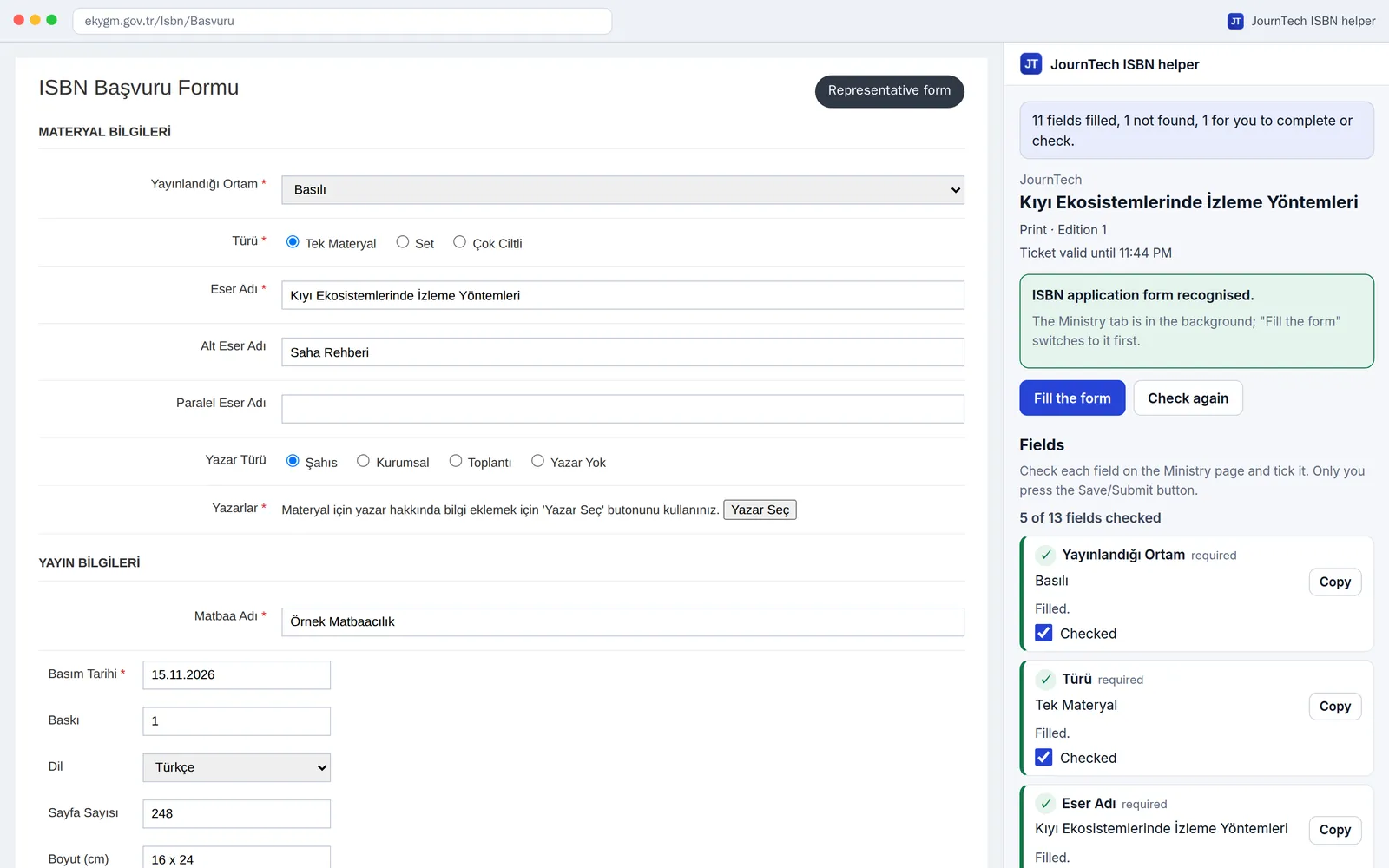
The image shows a representative copy of the Ministry's form.
A yearly ISBN and legal deposit report in Excel for the unit manager. Designed around Law No. 6279 on legal deposit and the Ministry's ISBN procedure.
Journals
Works with DergiPark, ready for TR Dizin.
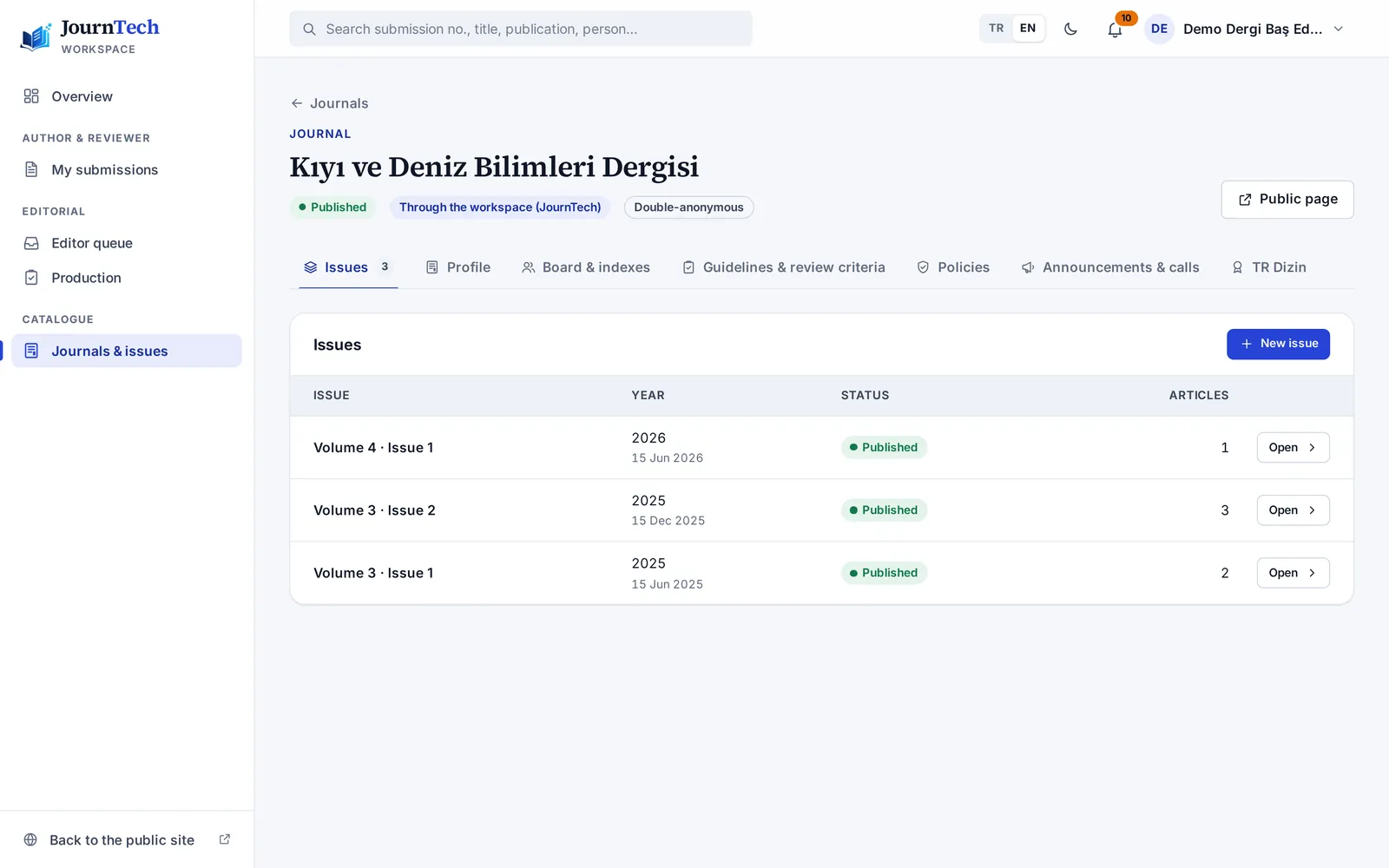
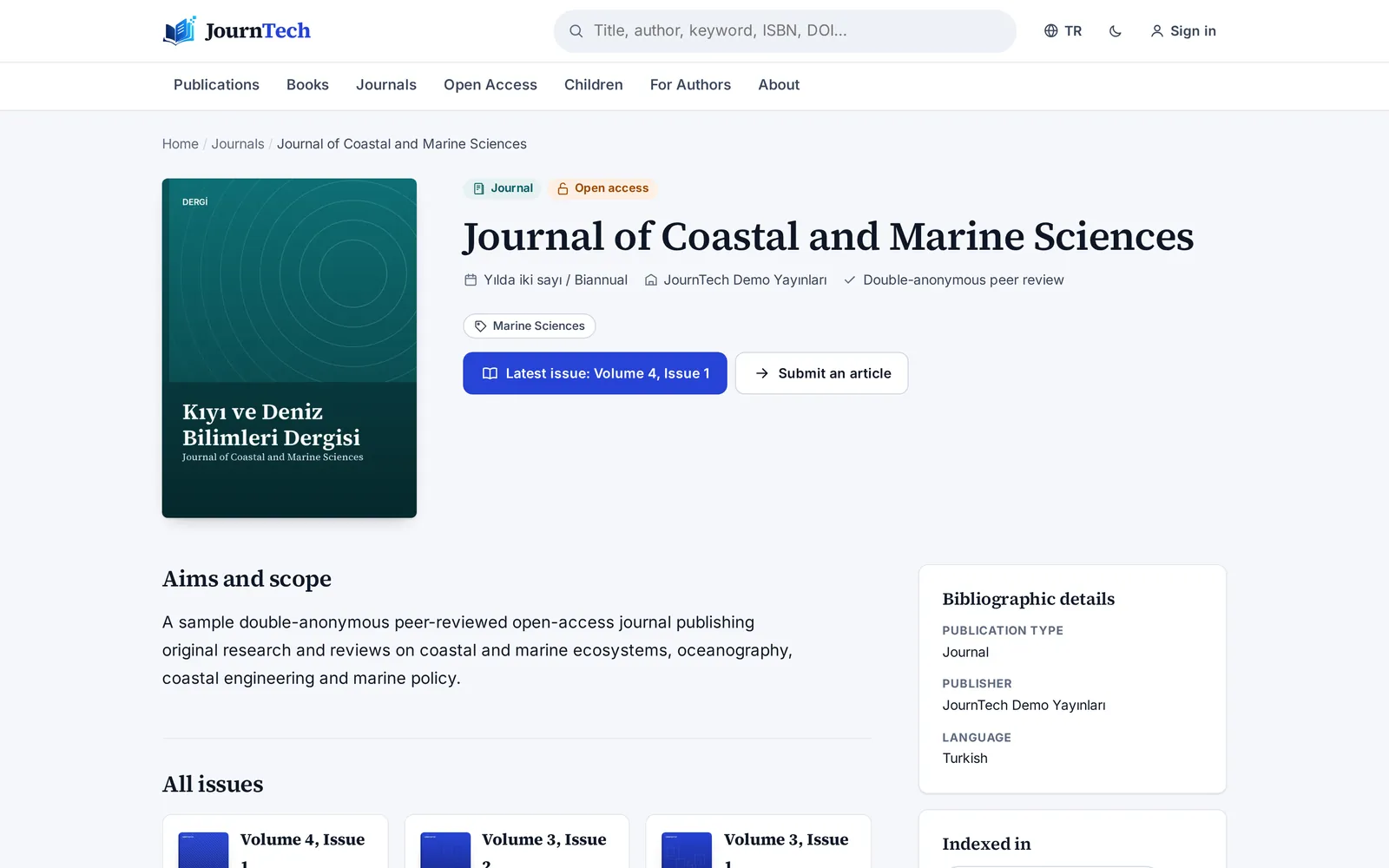
Your journals can stay on DergiPark or be run entirely in JournTech. Either way, issues, articles and metadata appear together on your institution's site.
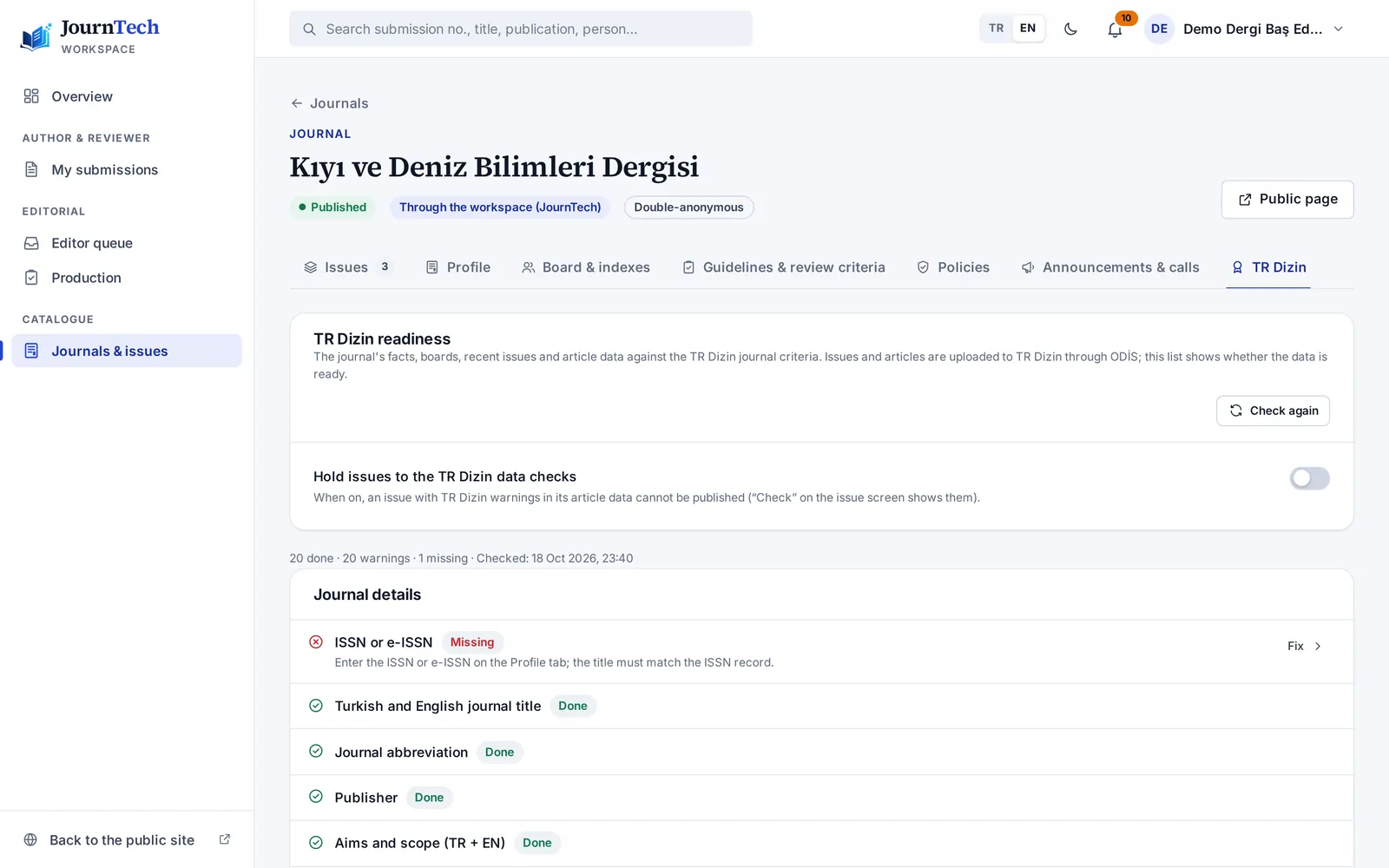
TR Dizin readiness checklist
- ISSN and e-ISSN
- Frequency and months
- Aims and scope
- Boards: institution, city, country
- External members (at least one third)
- Author guidelines and reference style
- Ethics pages for authors, reviewers, editors
- Open access and licence
- Continuous pagination per volume
Sample journal · criteria tracked per journal
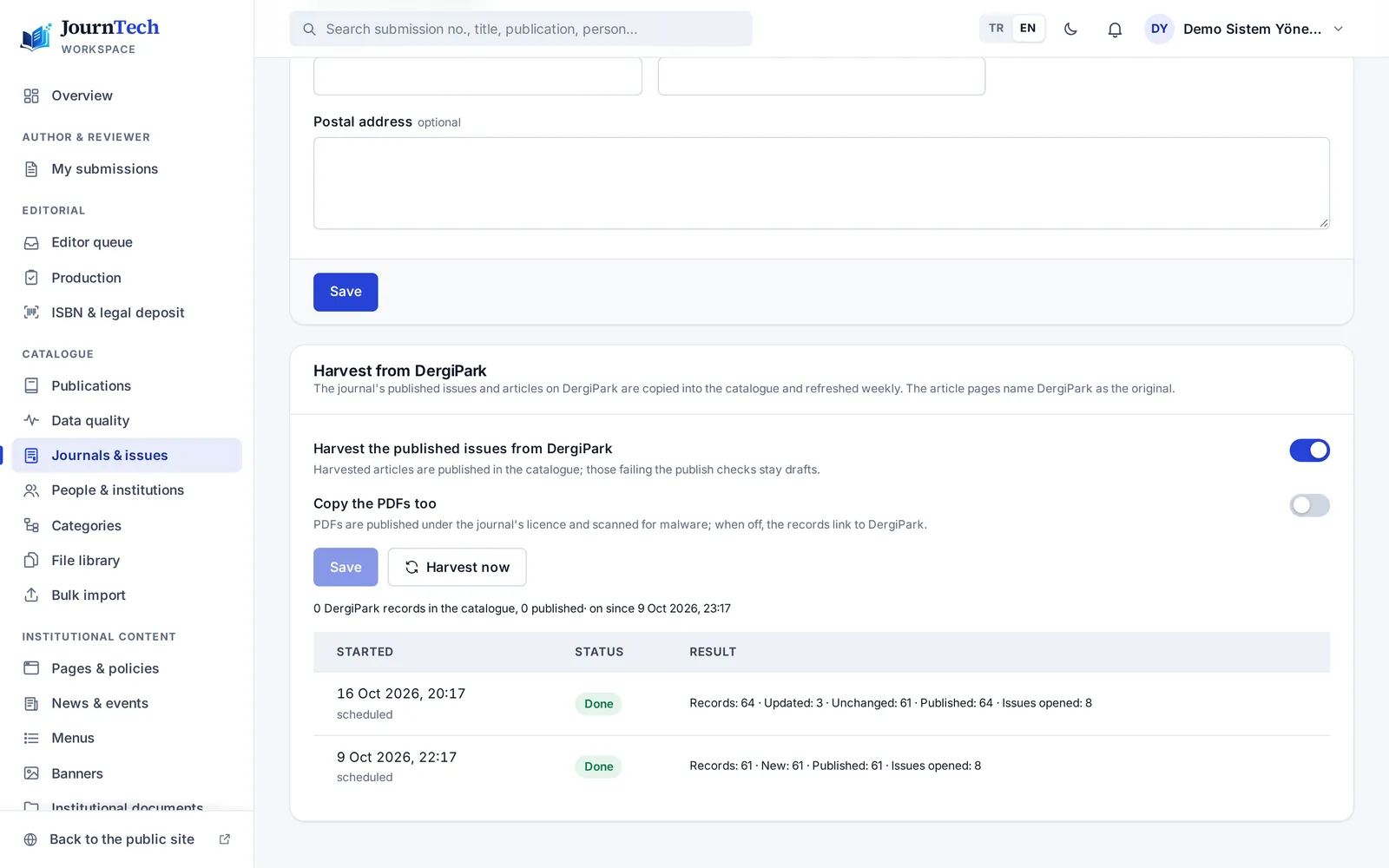
DergiPark mode and sync
“Submit an article” opens DergiPark's submission page in the visitor's language. Published issues and articles are synced over OAI-PMH, and authors are merged by ORCID iD.
TR Dizin readiness checklist
Criteria are listed per journal as ✓ / ⚠; each gap links to the screen that fixes it.
Output ready for ODİS
Per issue: the full-issue PDF, article PDFs, a metadata sheet in ODİS field order and referee dossiers. The metadata check follows ODİS rules.
DOIs with references
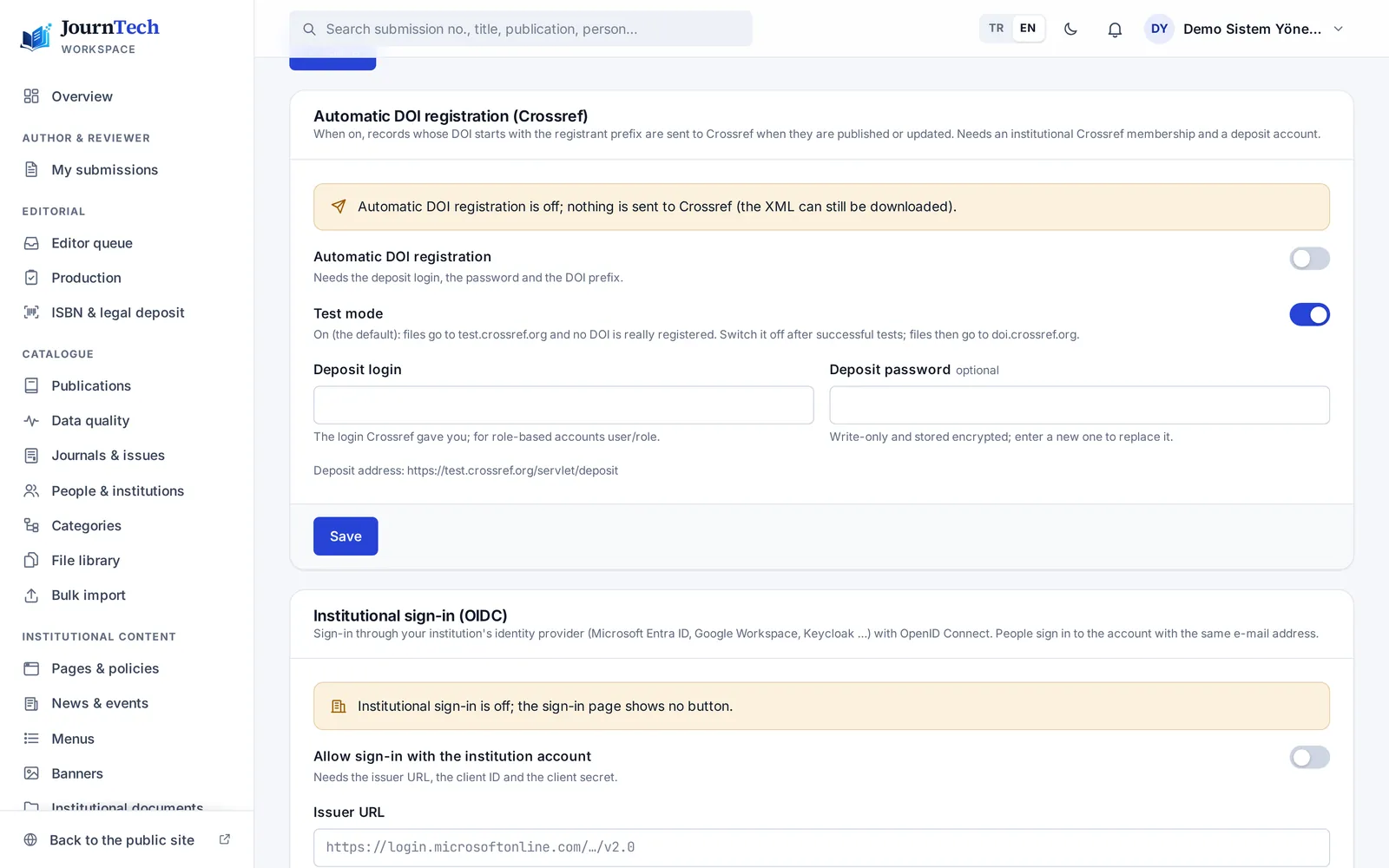
Articles are registered with Crossref with their reference lists, and issues, books, chapters and proceedings too; automatic registration starts in test mode.
Reviewer rules
A third reviewer suggested on split recommendations, a same-institution warning and an optional yearly reviewer list page.
Early view and calls
Articles can be published before they are placed in an issue; announcements and calls for papers appear on the journal page.
Visibility
Your work gets found, read and cited.
Every record is published in a form that search engines, Google Scholar, indexes and harvesters can read. No extra work on your side.
 Your workbook · article · proceedings
- Google Scholarcitation_* tags and the PDF link
- CrossrefDOIs and article references
- OAI-PMHoai_dc for harvesters
- Search enginessitemaps, Schema.org, canonical links
- ORCID · RORauthor and institution identifiers
- TR Dizinreadiness checklist and ODİS package
<meta name="citation_title" content="Microplastic Distribution in Coastal Ecosystems"><meta name="citation_author" content="Demir, Elif"><meta name="citation_author_orcid" content="0000-0002-…"><meta name="citation_author_institution" content="Sample University"><meta name="citation_journal_title" content="Sample Journal of Science"><meta name="citation_publication_date" content="2026/05/14"><meta name="citation_doi" content="10.xxxxx/sjs.2026.014"><meta name="citation_pdf_url" content="https://…/dosya/…"> # OAI-PMHGET /oai?verb=ListRecords&metadataPrefix=oai_dcViews and downloads
Public counters and a “most read” list.
Smart search
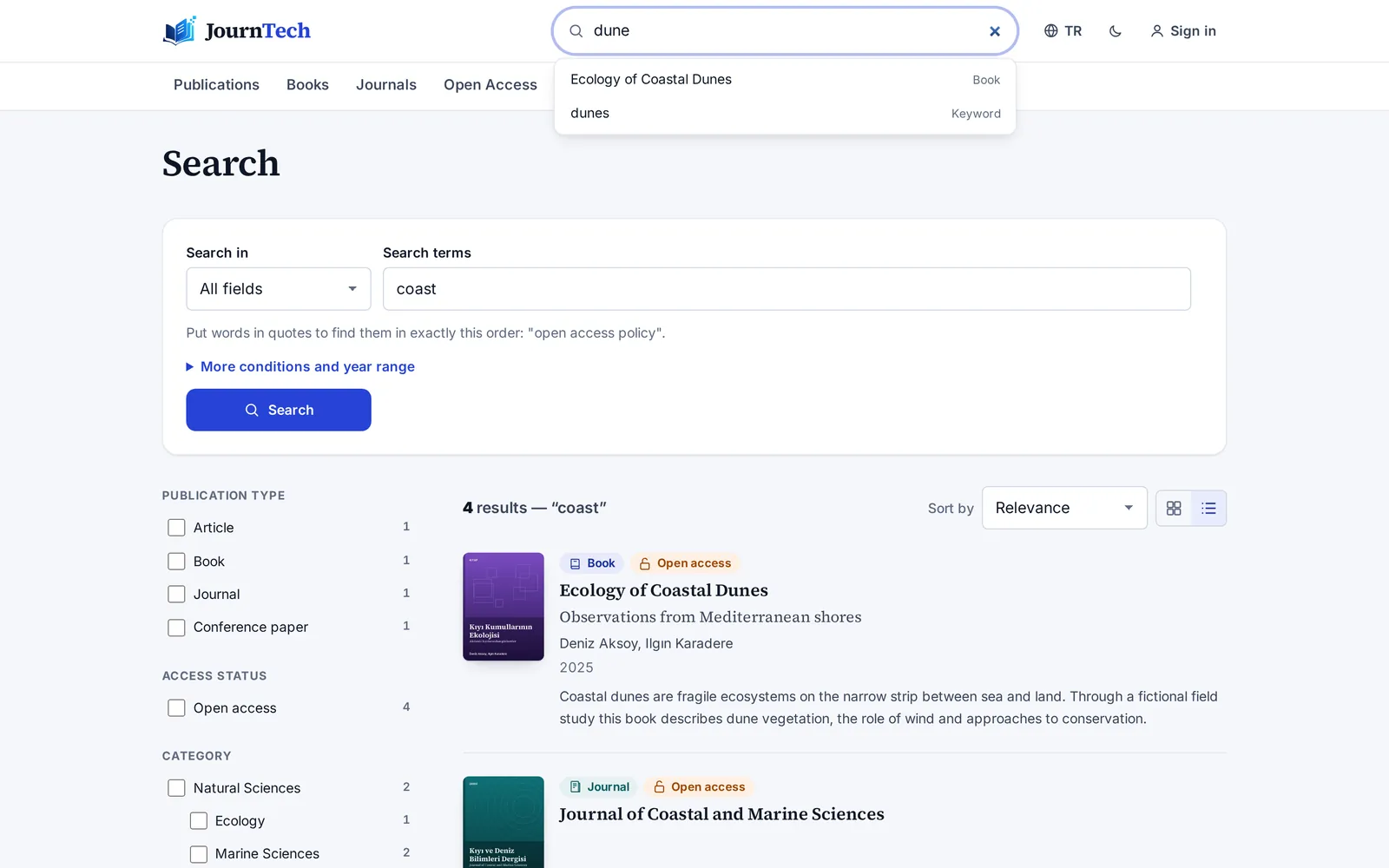
Field search with AND / OR / NOT, year ranges, phrases, synonyms and suggestions while typing.
A bilingual public site
Turkish and English pages, hreflang and permanent links.
On every screen
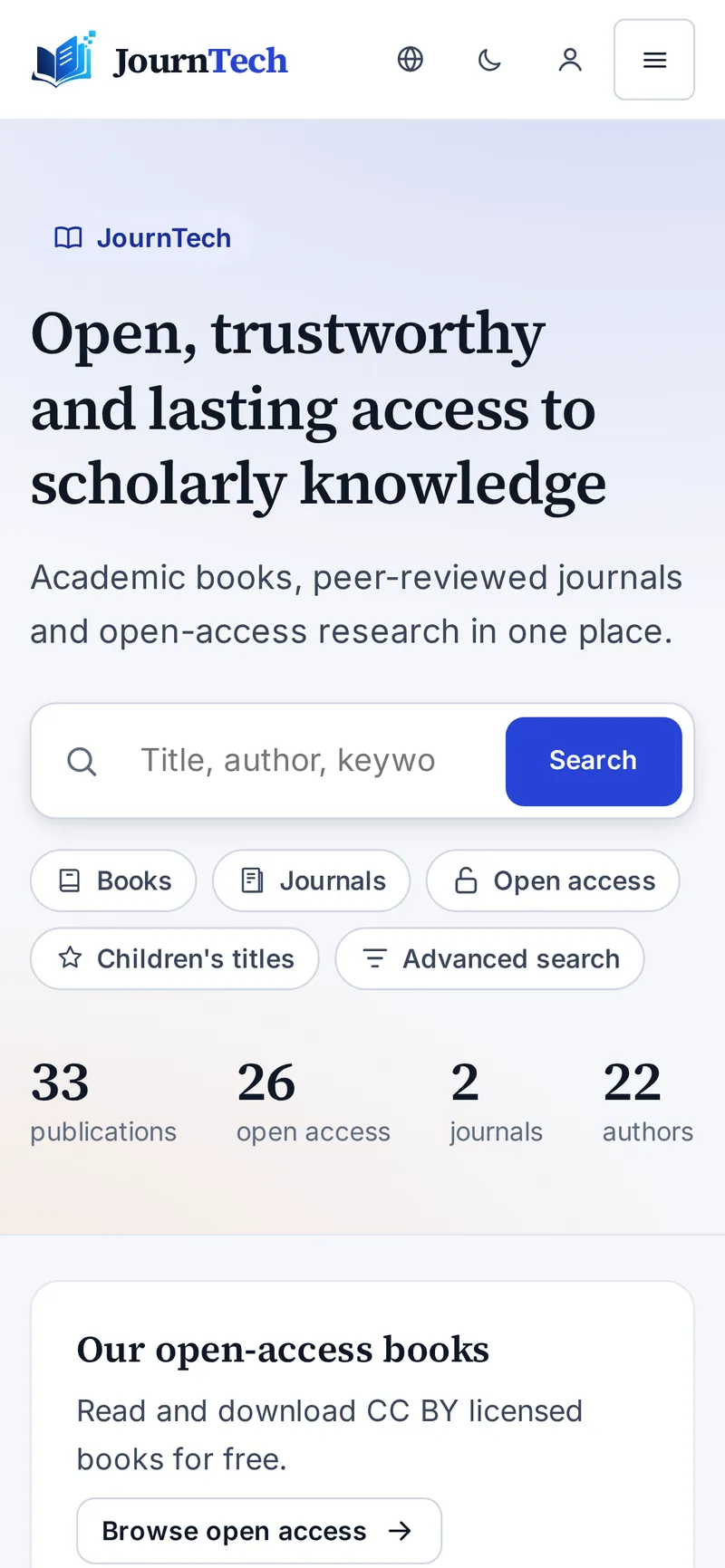
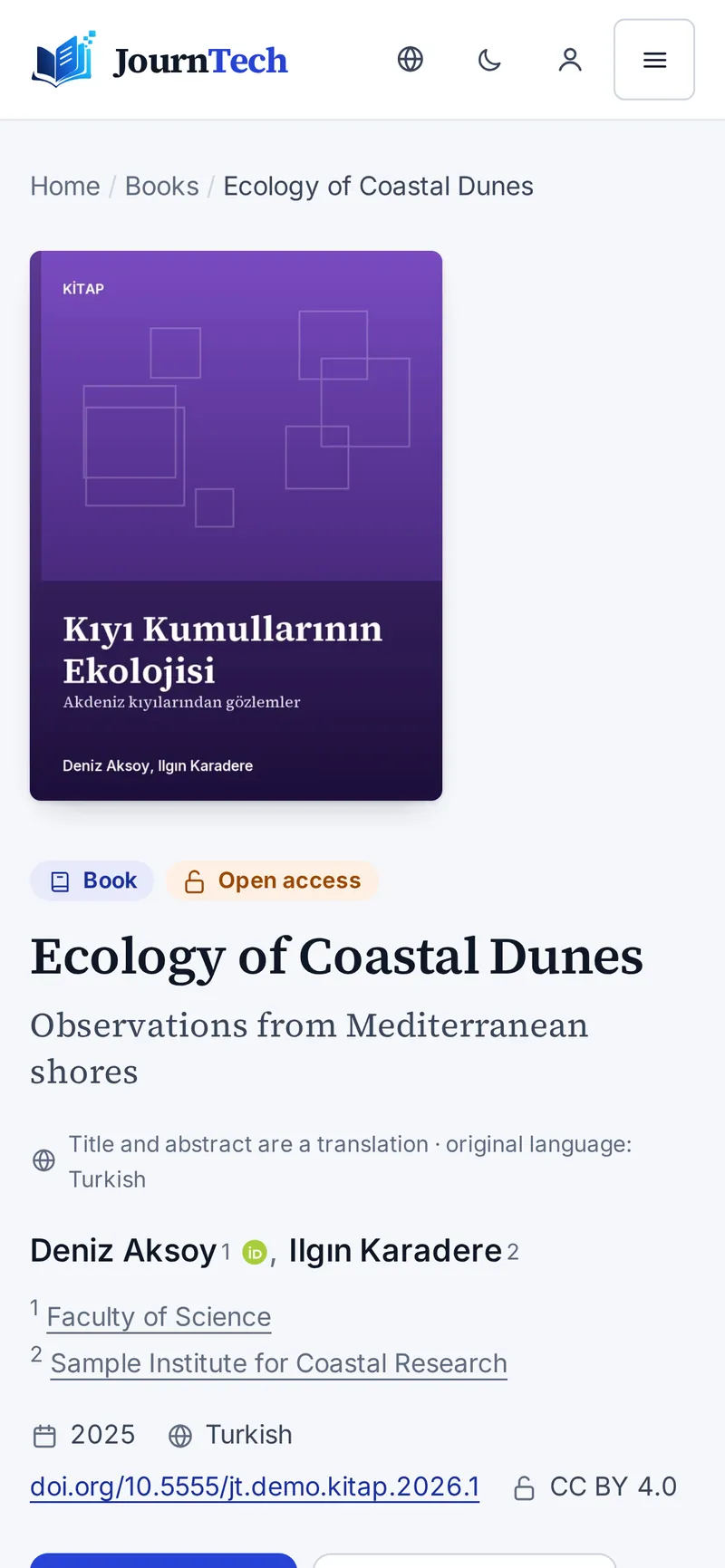
Most of your readers arrive on a phone.
The public site adapts to every screen size; covers, the citation box and the PDF viewer work comfortably on a phone. The accessibility audit covers the phone view too.
Trust
Built for institutional use.
Permissions, records and personal data protection have been part of the product's foundation from day one.
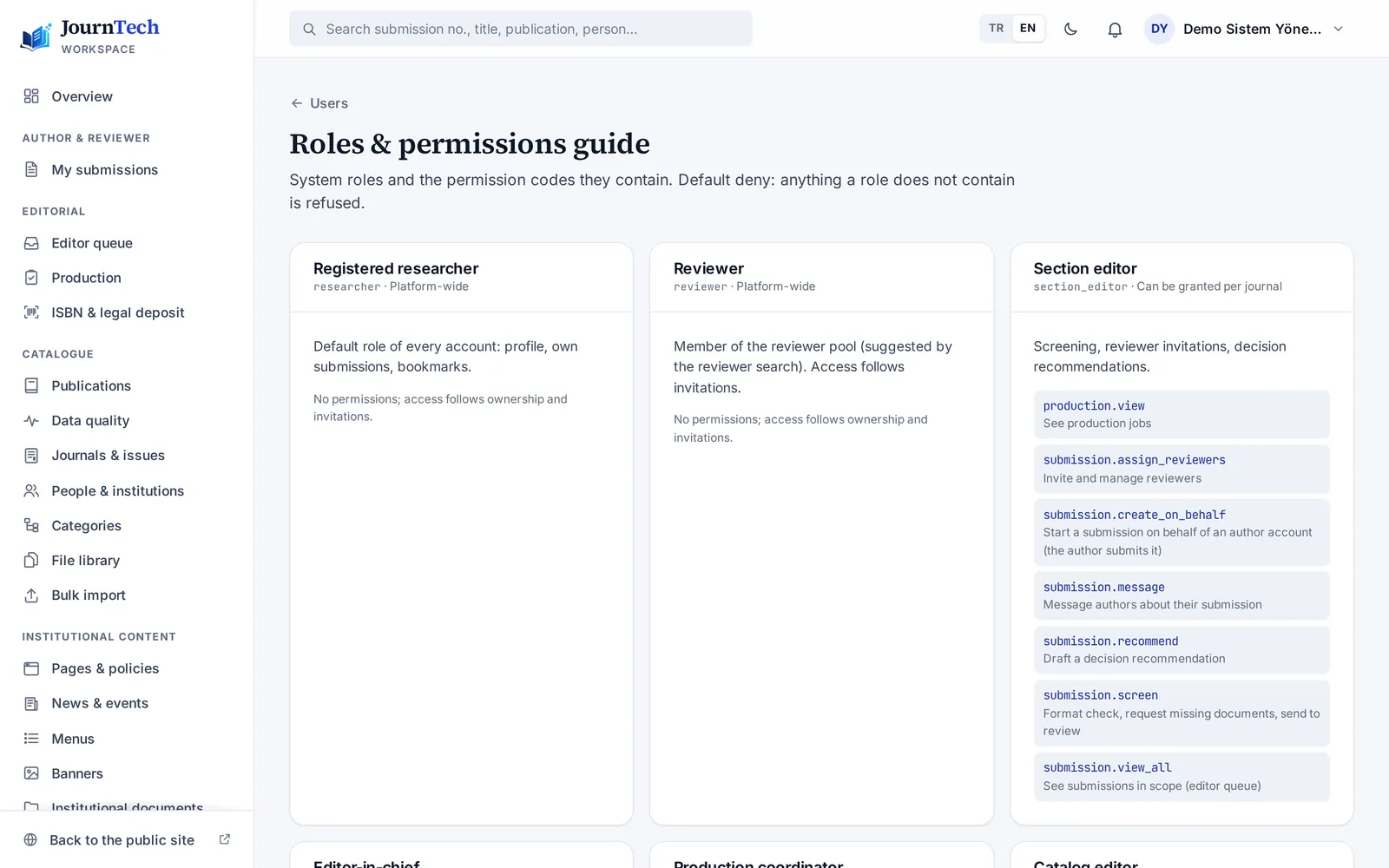
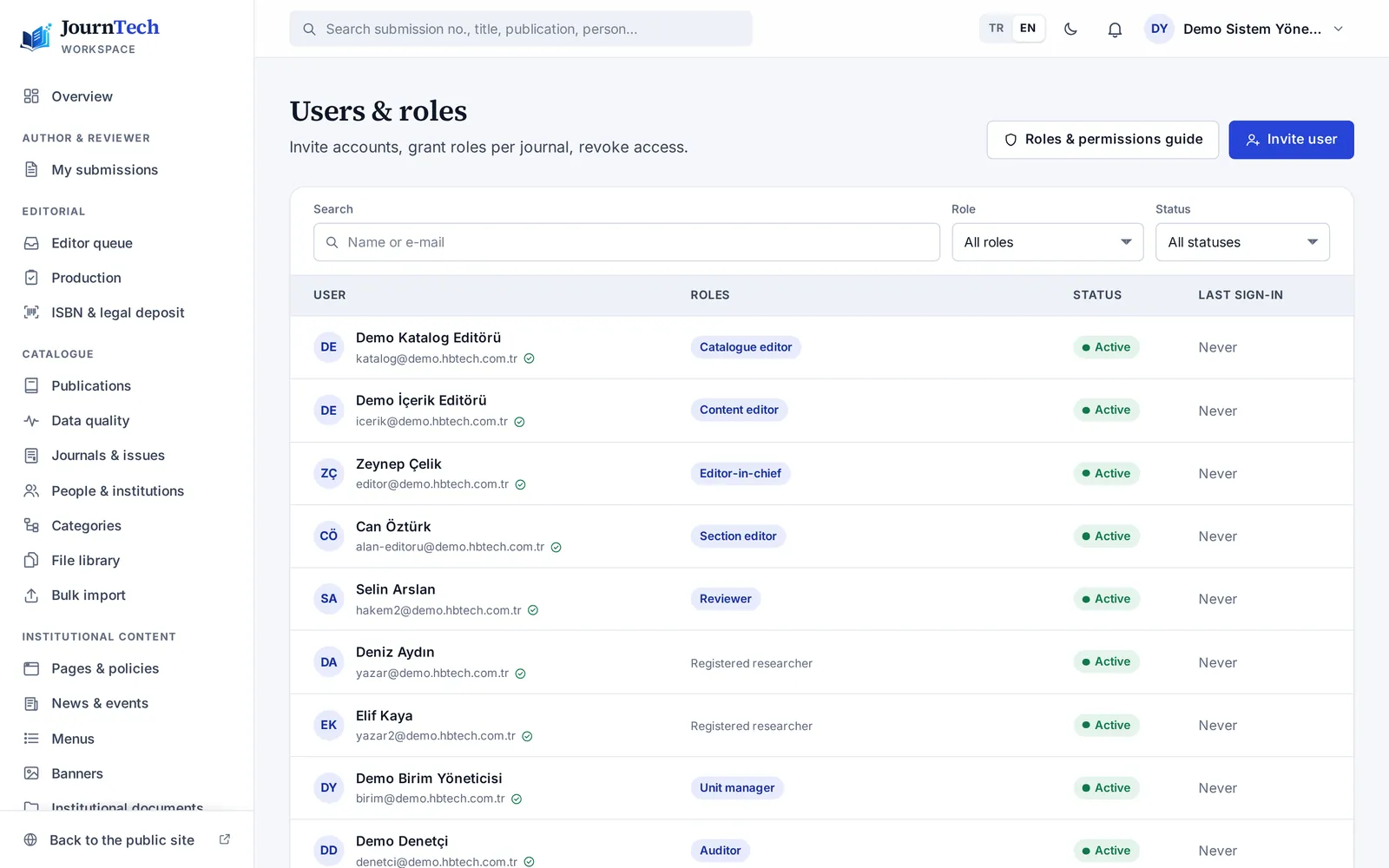
11 ready-made roles, fine-grained permissions
Author, reviewer, section editor, editor-in-chief, production coordinator, catalogue and content editors, unit manager, publishing board, auditor and system administrator.
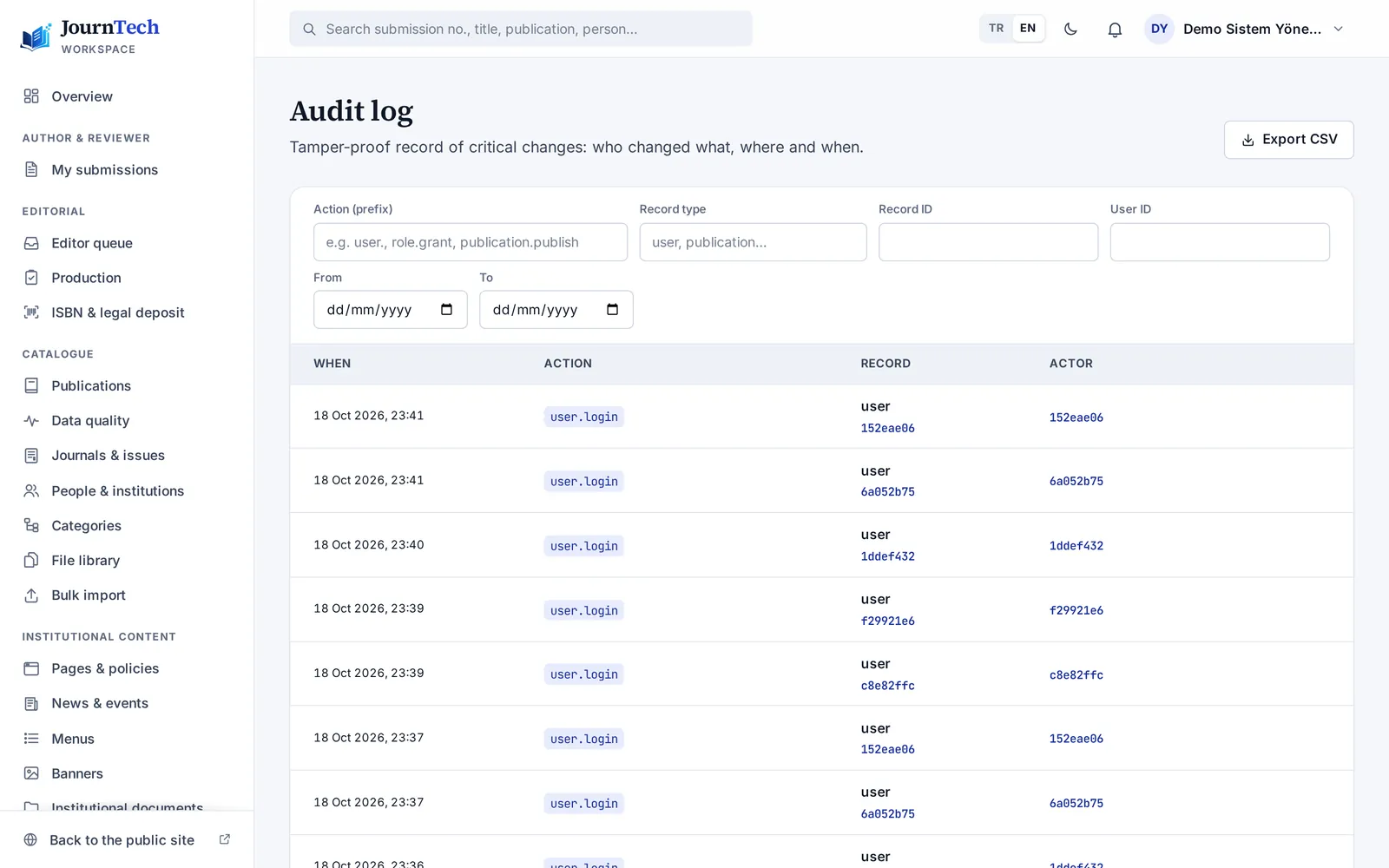
Audit log
Who changed what, and when: decisions, approvals and settings changes are traceable. The auditor role reads only.
Secure sign-in
Two-step verification, institutional sign-in (OpenID Connect) and ORCID sign-in; a temporary lock after failed attempts.
Personal data protection
Privacy notices and consent texts, erasure requests (unsubmitted drafts included) and configurable retention periods.
Accessibility
The public site and the panel are built to WCAG 2.2 AA. In release 1.12.1, 67 public addresses and 134 panel views passed an automated accessibility audit without errors, and both were also tried by hand with the Orca screen reader.
File safety
Every upload is virus-scanned; embargoes and access rules apply per file.
Continuous security scanning
Dependency vulnerabilities, leaked secrets and configuration mistakes are scanned automatically on every change and every week.
Operations alerts
Serious errors and security events, such as a locked account, reach the technical team at once.
600+automated tests in every release
3browsers in end-to-end tests: Chromium, Firefox, WebKit
0accessibility errors (axe, release 1.12.1)
2languages: Turkish and English
Who it is for
For everyone who works on publishing.
University presses and publishing committees
- The book process from proposal to print
- Board approval, ISBN and legal deposit
- Catalogue, e-books and open access
Journal editors
- Double-anonymous review and reviewer rules
- TR Dizin readiness and the ODİS package
- DergiPark sync and Crossref DOIs
Libraries
- An open-access catalogue with permanent links
- Harvesting over OAI-PMH and thesis import
- Tracking legal deposit copies
IT departments
- Roles, permissions and the audit log
- Institutional sign-in and two-step verification
- Automated tests and security scans
Videos
JournTech on video
Get to know the product in ninety seconds, then see the features up close.
Features up close
-
ISBN and legal deposit
Request, approval, the form via the extension, barcode and copyright page, deposit reminders.
-
Visibility
Scholar tags, OAI-PMH, sitemaps, Crossref DOIs, ORCID and ROR.
-
Peer review
Double-anonymous review, invitations, decisions and revisions.
-
Journals
DergiPark sync and the TR Dizin readiness checklist.
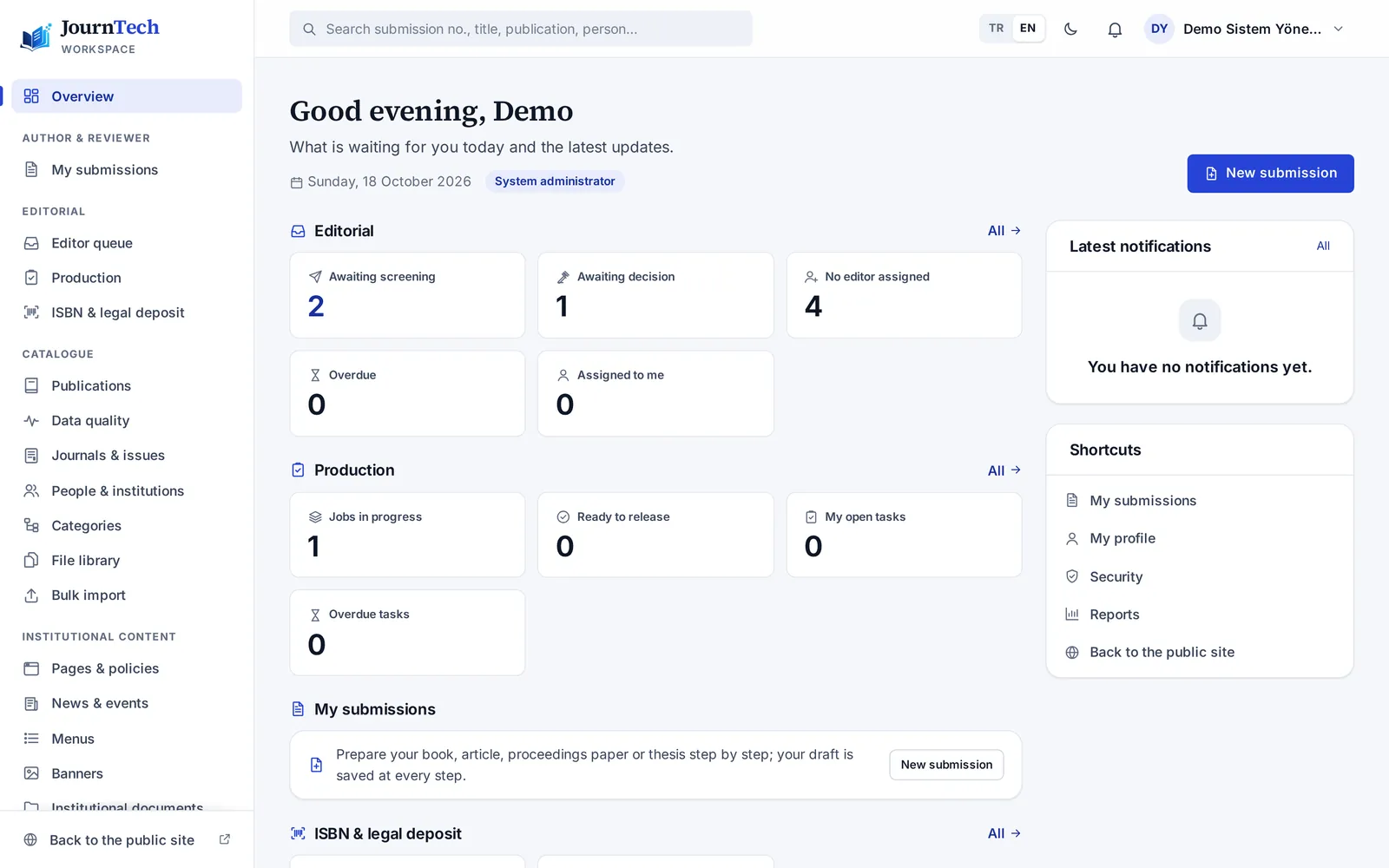
-
Panel and roles
Dashboard, roles and permissions, audit log.
Guide videos
-
User guide
Working in the panel, role by role.
-
JournTech for everyone
The public site for students, researchers and readers.
Sample content shown.
FAQ
Frequently asked questions
Our journals are on DergiPark. Do we have to leave?
No. In DergiPark mode the journal stays on DergiPark; JournTech syncs published issues and articles to your institution's site with the journal's consent and sends “Submit an article” to DergiPark.
Our theses are in our institutional repository. Can JournTech show them too?
Yes. JournTech imports theses from your institution's open repository (DSpace, for example) over OAI-PMH and syncs them every day. On the Institutional Archive's Theses page they can be filtered by type, institute, department and advisor. The record itself stays in your repository, and corrections are made there.
Does JournTech apply for the ISBN?
No. Your institution's authorised person always applies in the Ministry's system with their own e-Devlet login. JournTech prepares the request, gets the publishing board's approval, fills in the form through the extension, checks the assigned number and reminds you of the next deadlines.
Can we bring our existing catalogue?
Yes. Records are imported in bulk from Excel or CSV files and rejected rows are reported. Journals on DergiPark are synced over OAI-PMH.
Can people sign in with institutional accounts?
Yes. If your identity provider supports OpenID Connect, institutional sign-in can be turned on; ORCID sign-in is available too. Two-step verification can be required for privileged roles.
How is personal data protected?
Privacy notices, consent texts, erasure requests and retention periods are built in. Permissions are limited by role and every important action is written to the audit log. Hosting and backup locations are set in the contract.
What does an installation need?
JournTech runs in the browser; nothing is installed on users' computers. Each institution gets its own installation with its domain, logo and colours.
How is it priced?
We prepare an offer for your institution's publishing volume and needs. Write to us and we will look at it together.
Let's plan a demo for your institution.
Tell us how you publish, and we'll show JournTech with your own examples.
Write to usinfo@hbtech.com.tr
Explore the live demo